Posts

Tourism in Ahmadabad

Tourism in Ahmadabad has become famous since last ducked. With rapid growth in tourism, Ahmadabad has become one of the favorite tourist spots. With famous places like Akshardham Temple, Kankaria Lake, Gandhi Ashram, Jama Masjid, Jain Temple, Calico Museum Of textiles, Teen Darwaza, Sidi Bashir Mosque,   Sidi Saived Mosque, Kamla Nehru Zoo, Iskcon Temple, ,   Law Garden and many more. One should surely visit these places if visited Ahmadabad. People planning to have a luxurious stay during their trip to Ahmadabad can make stay at five star hotels in Ahmadabad, this will make your journey exciting and memorable one for you and your family. These five star hotels provide 24-hour room services, medical care, currency exchange, halls and many more amenities. These hotels in Ahmadabad are perfectly located near railway station, international airport and bus stands which helps in easy convenience of the tourists. When a person enters into one of these exotic five star hotel...

OP7T TOOL ALL IN ONE (Drivers|Unlock|TWRP|Factory Image|Stock Recovery)

Image
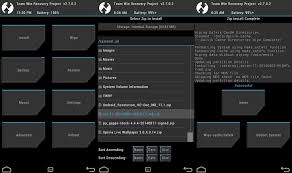
Unlock, TWRP, Drivers, Factory images, Stock Recovery, Root, Jailbreak  OnePlus 7T, OnePlus 7Pro, OnePlus Functions:   Install Drivers Install Drivers Unlock Bootloader Lock Bootloader (use carefully) Flash TWRP Recovery Flash Stock Recovery Flash Stock Factory Image Automatic ROOT Install APKs Uninstall APKs Take a Screenshot Take a Screen Reocrd Flash Partitions Erase All Data (This function can decrypt the phone) Reboot Phone Update the Tool to latest version Update Adb and Fastboot to latest version Set Adb and Fastboot priviliges in system wide Install Zip directly from PC (Required TWRP on phone)(These functions work perfectly on my pc but i have perfect adb drivers on my pc and perfect TWRP on my phone) Flash Fastboot ROM Delete downloaded files ADB File Manager   How to Install: - Download .zip file; Right click on zip and go in file properties; Set "Unblock", then click on "Apply" and "OK" ...

Do we really need to buy car to show the power of money?

I dont understand why such pathetic mind set is exist? Do one need to really buy expensive car to show his financial strength? Do let me know tour thought on it.!!!  Great power do not make great money but increase responsibility..!!! 

Finally Xiaomi Mi A1 source code released.

Xiaomi Mi A1 Xiaomi Mi A1 smartphone was launched in September 2017. The phone comes with a 5.50-inch touchscreen display with a resolution of 1080 pixels by 1920 pixels.  The Xiaomi Mi A1 is powered by 2GHz octa-core Qualcomm Snapdragon 625 processor and it comes with 4GB of RAM. The phone packs 64GB of internal storage that can be expanded up to 128GB via a microSD card. As far as the cameras are concerned, the Xiaomi Mi A1 packs a 12-megapixel primary camera on the rear and a 5-megapixel front shooter for selfies. The Xiaomi Mi A1 runs Android 7.1.2 and is powered by a 3080mAh non removable battery. It measures 155.40 x 75.80 x 7.30 (height x width x thickness) and weigh 168.00 grams. The Xiaomi Mi A1 is a dual SIM (GSM and GSM) smartphone that accepts Nano-SIM and Nano-SIM. Connectivity options include Wi-Fi, GPS, Bluetooth, Infrared, USB OTG, 3G and 4G (with support for Band 40 used by some LTE networks in India). Sensors on t...

How to Fastboot Flash Moto X Play Factory Firmware Images

    Disclaimer: I am not responsible for anything that happens as a result of flashing these files. Your destiny is your own. Based on existing tutorial by @t-bon3. This guide has been created as a hard-brick occurred using the old Moto x Play tutorial. Please exercise extreme care with Fastboot, and only use the commands mentioned here. Experimenting with Fastboot commands can seriously damage your phone. How to Fastboot Flash Moto X Play Factory Firmware Images Required Files:     Motorola Drivers: Download     Latest Fastboot | ADB (Windows | Linux): Download (Windows 10 users may need this pack for Drivers to work.)       WARNING: You must perform a 'Factory data reset' in Stock Recovery before flashing any Firmware Image - instructions here. Factory data reset via Stock Recovery: (1) Flash via fastboot stock recovery.img (found in firmware image zip) (2) Turn your phone off. (3) Press and hold V...

How to Fastboot Flash Moto X Play Factory Firmware Images

    Disclaimer: I am not responsible for anything that happens as a result of flashing these files. Your destiny is your own. Based on existing tutorial by @t-bon3. This guide has been created as a hard-brick occurred using the old Moto x Play tutorial. Please exercise extreme care with Fastboot, and only use the commands mentioned here. Experimenting with Fastboot commands can seriously damage your phone. How to Fastboot Flash Moto X Play Factory Firmware Images Required Files:     Motorola Drivers: Download     Latest Fastboot | ADB (Windows | Linux): Download (Windows 10 users may need this pack for Drivers to work.)       WARNING: You must perform a 'Factory data reset' in Stock Recovery before flashing any Firmware Image - instructions here. Factory data reset via Stock Recovery: (1) Flash via fastboot stock recovery.img (found in firmware image zip) (2) Turn your phone off. (3) Press and hold V...

Marshmallow now include support for Multi-Window interface

Marshmallow now include support for Multi-Window interface but, it's disabled by default. You need a little bit of tinkering to get it to work. -First, you will need to have a rooted device, so make sure you flashed SuperSU 2.62 (older version won't work on Marshmallow). -Then, you will need to edit a single line inside build.prop (located in /system folder), I did this with Root Browser because many other file browsing apps have trouble getting root access with Marshmallow. Root Browser is working perfectly as long as you have the right version of SuperSU. -Once you open build.prop with Root Browser, you need to look for the line "ro.build.type=user", then you will need to change this line to "ro.build.type=userdebug", once it's done, reboot your phone . -Now, you need to enable Developer settings by going in Parameters/About phone and tap on "Build number" seven time. -You will now see the Developer settings in Parameters, open...

How to install custom recovery and root Samsung Galaxy Grand 2 SM-G7102.

Image
First of all flash with latest firmware.    Now boot you phone normally . Once done you need to have custom recovery.   With latest change log CHANGELOG for 2.8.6.0: http://forum.xda-developers.com/galaxy-grand-2/orig-development/recovery-twrp-2-8-6-0-touch-recovery-t3107535            For custom recovery follow below steps:-                 INSTALLATION PROCESS:                 1. CONNECT YOUR DEVICE TO A COMPUTER WHICH HAS ODIN                 2. OPEN ODIN ADD THE DOWNLOADED FILE IN AP(PDA) SECTION                 3. CLICK ON START (BEFORE THAT UNCHECK AUTOREBOOT)       ...

[4.4.2][NH6] Deodex System : Update

Image
Guys I Had Deodexed & Zipalign The Android 4.4.2 H6 For Galaxy Grand 2 SM-G7102 I Have Tested On My Grand 2,Working Perfectly You Will Need Rooted Stock 4.4.2 H6 ROM & Custom Recovery On Your Grand 2 There's Only System App,Framework & Priv-App Included In The Zip (Bloats removed you can get it from Playstore easily free of charge ) Instructions To Install 1.Reboot Into Recovery 2.Flash Zip 3.Wipe Cache & Dalvik Cache 4.Enjoy Warning Make A Nandroid Backup Using CWM / TWRP Before Flashing! Download Link http://forum.xda-developers.com/galaxy-grand-2/themes-apps/4-4-2-deodex-update-t2896339

How To Root Your Android Phone.

Image
  230 × 205 - downloadinformer.com Kingo Android ROOT is an ultra safe and secure software without any risks! Supports almost every android device and all android versions! you can unroot any time with one click! Features: One Click Root With no preparation needed All Devices Supported After extensive testing by Android users High Success Rate Guaranteed by years of development 100% Safe and Secure What’s good in rooting with Kingo Android ROOT? Faster performance Preserve battery life Access root-only apps Remove carrier bloatware Customizable appearance Attain admin level permission WHAT'S NEW: Kingo Android Root 1.2.2 Release 2014-4-04 Fixes false positives bugs of unroot successful problem. Devices connection bug fixes and other improvements. Download :-  http://www.embedupload.com/?d=8YIYIGFAKI

Update Galaxy Grand 2 Duos G7102 to XXUAND1 Android 4.3 Official Firmware

Image
Update Galaxy Grand 2 Duos G7102 to XXUANE2 Android 4.3 Official Firmware You can now download XXUANE2 Android 4.3 for Galaxy Grand 2 Duos G7102 and we have a full tutorial on how to install this official Jelly Bean firmware update . XXUANE2 Android 4.3 Jelly Bean is the latest firmware build that has been released so far for the Galaxy Grand 2 Duos G7102.This is an unbranded firmware, which means there will be no extra carrier apps installed with this firmware and anyone with an unlocked Galaxy Grand 2 can install this firmware. G7102XXUANE2 is an official firmware update, not a modified or custom ROM . You can easily update Galaxy Grand 2 Duos G7102 to XXUANE2 Android 4.3 Jelly Bean official firmware and root Galaxy Grand 2 . As you continue reading below, we will guide you how to install  XXUANE2 Android 4.3 Jelly Bean on Galaxy Grand 2 Duos G7102 using ODIN. Do Backup all your DATA . Disclaimer: All the custom ROMs and firmwares, official software updates, ...

Root Galaxy Grand 2 (SM-G7102) with Pre-Rooted Android 4.3 Stock Firmware (GUIDE)

Image
Root Galaxy Grand 2 (SM-G7102) with Pre-Rooted Android 4.3 Stock Firmware [GUIDE] The international variant of Samsung Galaxy Grand 2 (SM-G7102) recently received the next-generation (GENNXT) pre-rooted stock firmware from XDA Developers' senior member, balliboxer. GENNXT Pre-Rooted Android 4.3 Stock Firmware Features The pre-rooted stock firmware based on Android 4.3 Jelly Bean brings a host of noteworthy features to Galaxy Grand 2 and a few of them are listed below: PreRooted Superuser Busybox init.d support S Note 3D Gallery Multiwindows 4 at same time popup browser xposed installer wanam xposed xposed app settings change dpi youtube ad away xposed viper4android music effects Haptic feedback in settings Greenify xposed Head over to the XDA Developers forum page (check source link below) to learn more about the various new features ported into this pre-rooted stock firmware. IBTimes UK  reminds its readers that it will not be held respo...